
Acknowledgement & Resolution due dates
Last updated 7 April 2026
Companion allows you to customise Acknowledgement and Resolution due dates for each case stage, so deadlines stay fully aligned with your school’s complaints policy.
By setting your own timeframes, you can ensure that every case follows the correct policy-driven deadlines, without needing to manually calculate or track them each time.
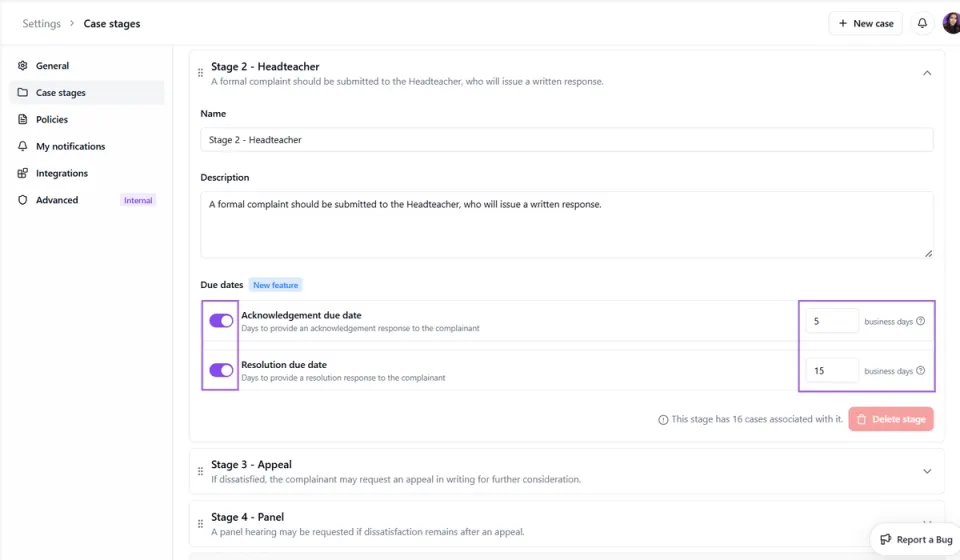
How it works:
- Navigate to Settings
- Select Case Stages
- Choose the stage you would like to edit
- Toggle on Acknowledgement and/or Resolution due dates
- Enter the number of business days in line with your policy
- Save your changes
Once set, these timeframes will automatically appear for you to select when logging and progressing cases.