
Archiving Tasks
Last updated 26 February 2026
Within Companion, you now have the ability to archive tasks.
To archive a task:
- Navigate to the relevant task - either via the Tasks tab on the left-hand side, or by locating the task within the relevant case
- Click the three dots next to the Complete Task button
- Select Archive
- Click Confirm
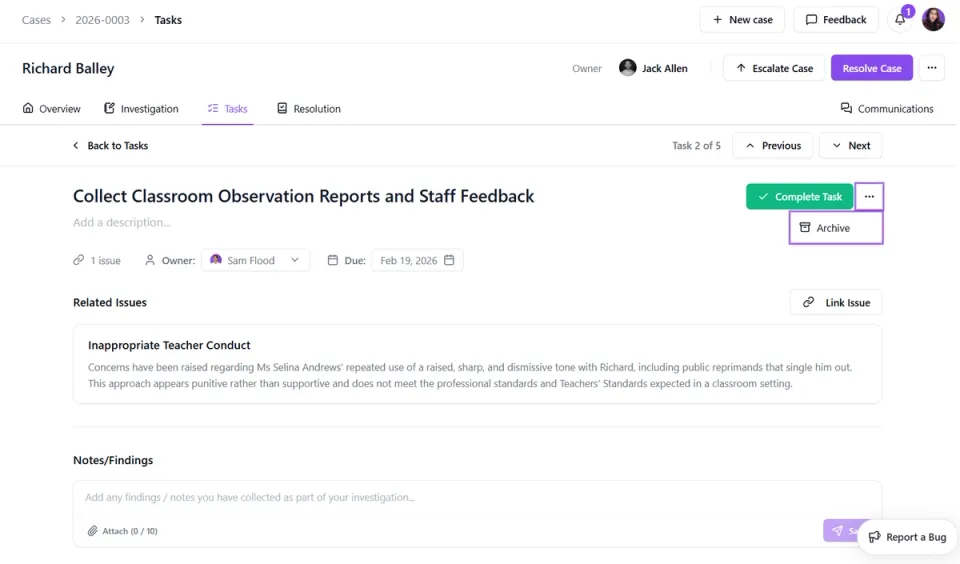
Once archived, the task will no longer appear in the main Tasks tab or within the active case view.
If you need to restore the task at any time:
- Open the relevant case
- Go to the Tasks tab
- Click the Archived button
- Select the task you would like to restore
- Click Unarchive
The task will then reappear in the active task list.