Managing Case Access
Last updated 19 February 2026
By default, users with Admin access can view all cases within the system. However, visibility to specific cases can be restricted for individual Admin users when required.
For example, if a complaint involves the headteacher, their access can be removed to ensure they are unable to view the ongoing investigation.
To restrict access:
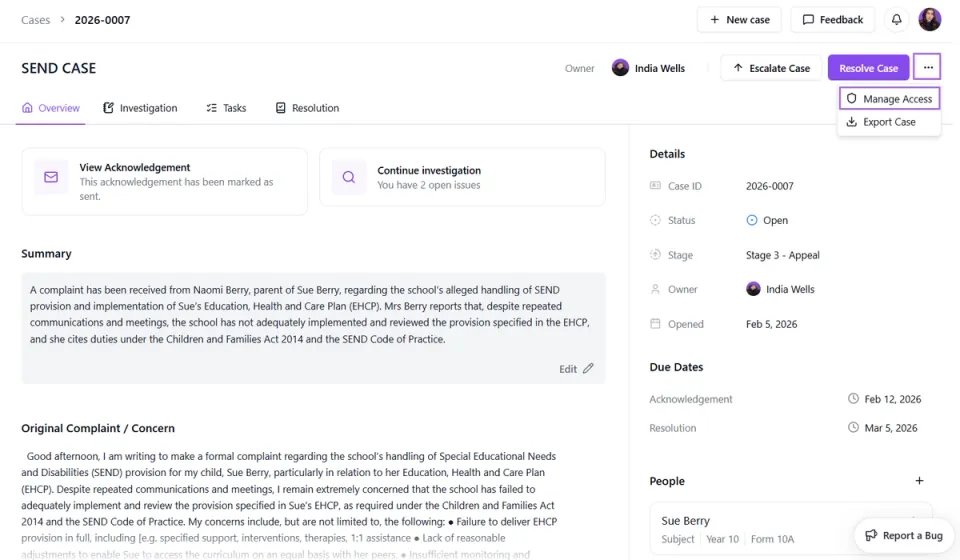
- Open the relevant case.
- Click the three dots next to the Resolve Case button.
- Select Manage Access.
- Choose the user(s) you would like to block from viewing the case.
Please ensure the user is not assigned as the Case Owner or allocated to any active Tasks before attempting to remove their access.
Restricting access allows you to maintain appropriate confidentiality where necessary.