Case Stages
Last updated 19 February 2026
On this page
Case Stages
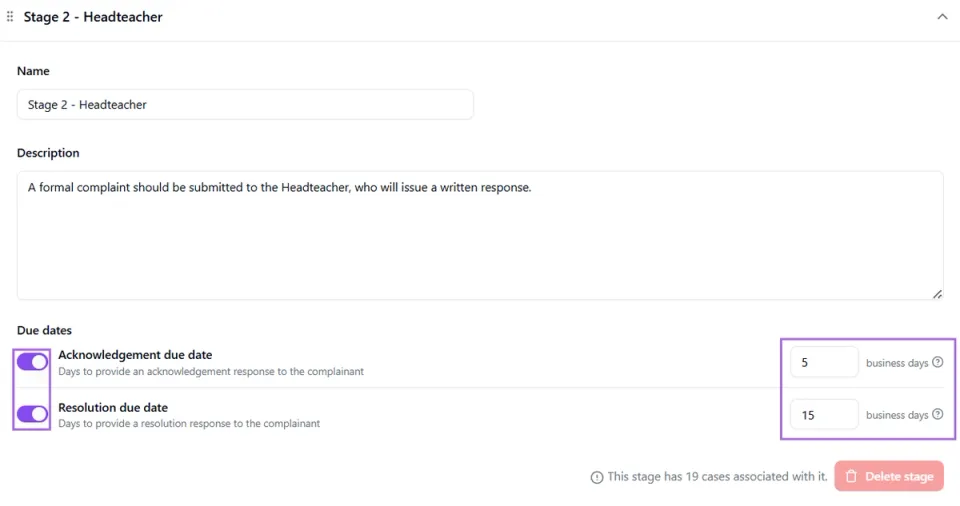
Your case stages have been added to your Companion platform in line with your school’s complaints policy. Admin users can add new stages or amend existing ones at any time - just remember to click Save in the top right corner after making any changes.
Please note: Only admin users have the ability to view and amend case stages.
Case stages cannot be deleted if there are cases linked to them. If you choose to rename a stage that already has associated cases, make sure the updated name still accurately reflects what has previously been recorded.
Acknowledgement and Resolution Due dates
You can customise the acknowledgement and resolution due dates for each case stage by toggling the options on or off and selecting the appropriate number of business days in line with your policy. When logging a new case, you’ll then be able to quickly apply these by selecting the relevant set to X business days option within the due date fields.